The Big Picture
The plugin turns campaign email into a repeatable operating loop.
Setup
Configure SMTP, sender identity, brand kit, and sending safeguards.
Import
Create lists, map spreadsheet fields, and update duplicates by email.
Compose
Build reusable templates with blocks, HTML, preview editing, and merge tags.
Send
Create a draft, pass preflight, queue recipients, and retry temporary failures.
Learn
Use tracking, bounces, suppressions, opens, clicks, and exports to improve.
Latest & Greatest
Built for the day-to-day realities of a candidate campaign.
Candidate workflow library
Launch editable draft journeys for supporter welcomes, volunteer mobilization, grassroots fundraising, event turnout, and Election Day activation.
Nine campaign-ready templates
Use matching welcome, priorities, volunteer, donation, event, voting-plan, and Election Day email templates—then edit every word before activation.
Fundraiser RSVP center
Collect names, emails, Individual or Table of 10 reservations, attendance totals, and paginated response records at GGA-Corp.com/rsvp.
SendGrid delivery pipeline
Send through an authenticated provider, capture SMTP acceptance details, and distinguish provider acceptance from confirmed inbox delivery.
Safer cleanup controls
Clear failed tests, remove all tracking rows after testing, delete selected campaign tracking, or remove all campaign records and queues at once.
Candidate-themed operations
A polished navy-and-blue interface uses red for active accents and caution, keeping normal actions clear and destructive actions unmistakable.
What It Handles
One plugin covers audience management, email design, delivery, and follow-up.
SMTP setup and branded test messages
CSV, TXT, XLSX, and Google Sheet imports
Sortable and editable email-list records
Candidate templates, RSVP forms, and fundraising letters
Campaign drafts, preflight checks, and queues
Candidate workflows, tracking cleanup, suppressions, and exports
Step By Step
Use this path for setup, training, or a live demo.
01
Start with settings that make every send safer.
Enter the SMTP host, port, encryption, username, password, From address, From name, and Reply-To. Then save the brand kit so test emails and campaigns share the same signature and accent styling.
- Send an SMTP test before a real campaign.
- Set batch size, retry delay, and retry limits.
- Review privacy and tracking options.
Best practice
Use one verified sender identity for all campaign tests and first sends.
02
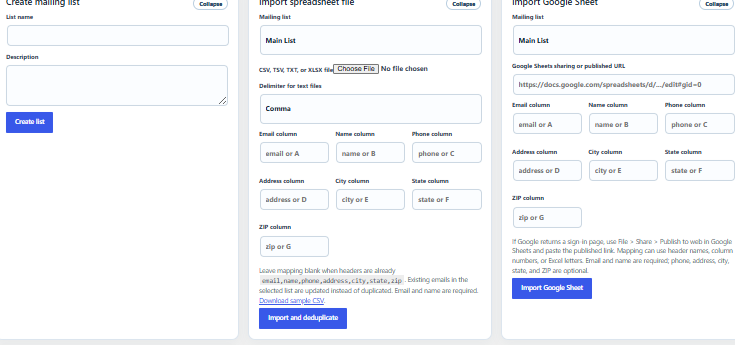
Bring contacts into a list without duplicating emails.
The List Management workspace creates lists, imports spreadsheet files, imports public Google Sheets, and adds one-off contacts. Google Sheet URLs and field mappings are remembered for the next import.
- Email and name are required.
- Phone, address, city, state, and ZIP are optional.
- Existing emails are updated instead of duplicated.
03
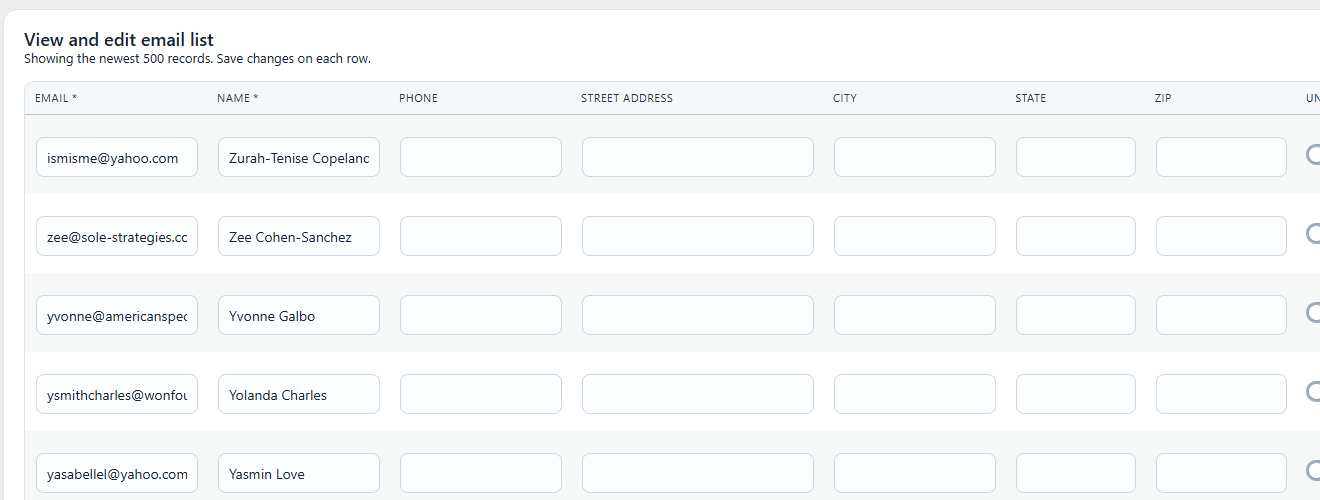
Edit records directly from the Email List tab.
Use the table to clean names, add phone or address details, toggle unsubscribe status, sort headers, show or hide columns, and move through pages of records.
- Save and delete actions stay on the row.
- Column visibility stays consistent across pages.
- Bulk delete is protected behind a confirmation.
04
Build reusable templates instead of one-off emails.
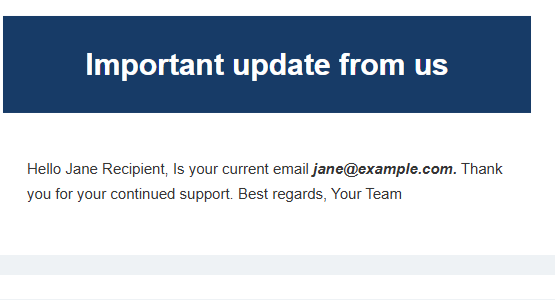
Use starter templates, visual blocks, the WordPress editor, direct HTML, preview editing, and merge tags. The Fundraising Ask starter opens with the Kelly Garrett Breakfast Fundraiser letter.
- Merge tags personalize each recipient.
- Preview editing saves the email body cleanly.
- Templates can be reused across campaigns and automations.
05
Create a draft campaign, then pass preflight before sending.
The campaign wizard asks for the audience, message, subject, sender identity, and optional copies. Draft-first sending keeps the demo calm because nothing goes out until the campaign is reviewed.
AudienceTemplateSenderPreflightQueue
06
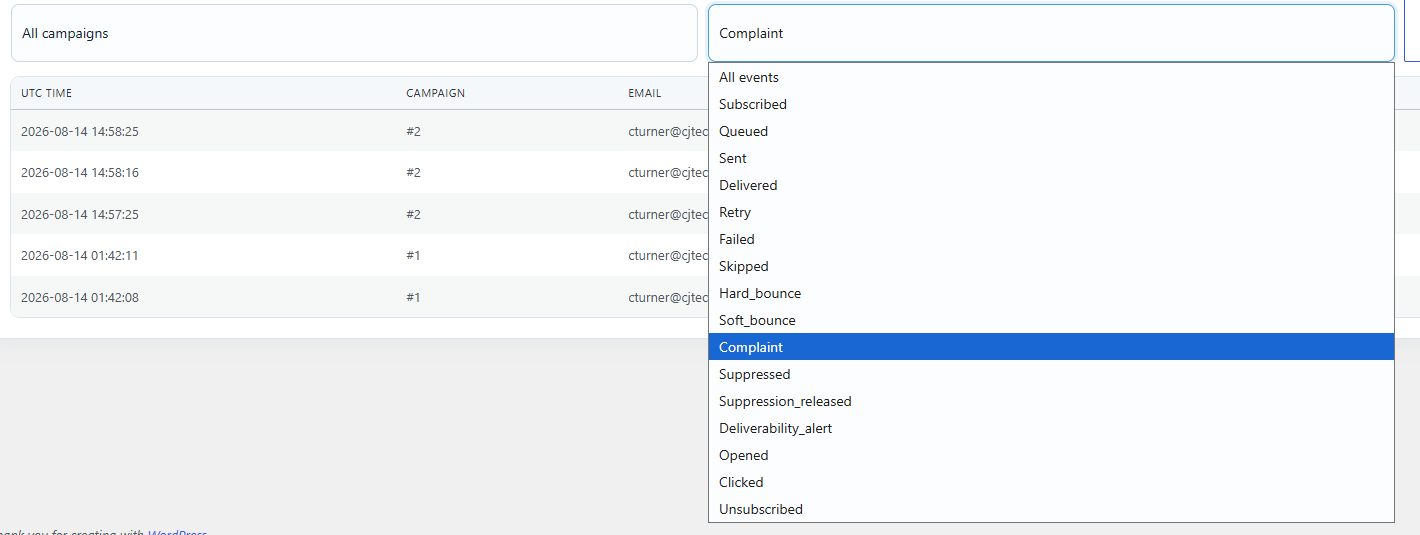
Use Tracking to understand what happened.
Tracking records sent, failed, skipped, unsubscribed, suppressed, bounced, complaint, opened, and clicked events. Campaign and event filters answer practical follow-up questions.
- Export CSV logs when needed.
- Review bounces and complaints quickly.
- Use event history to improve future sends.
07
Turn proven campaign patterns into editable automations.
The candidate workflow library creates complete drafts with matching email templates. New supporter welcomes can run when a contact joins a list; volunteer, fundraising, event, and Election Day journeys remain manually controlled.
- Every starter is created as a draft.
- Waits, conditions, and templates remain editable.
- Unsubscribe and suppression checks run before automated sends.
Five starter journeys
Welcome · Volunteer · Fundraise · Event · Election Day
08
Manage fundraiser attendance without another platform.
The public RSVP page records the attendee name, email, reservation type, and attendance count. A Table of 10 automatically records ten guests, while the admin tab shows response, individual, table, and total-attendance counts.
InviteRSVPIndividual / TableTotal
09
Clean testing data without damaging the campaign database.
Administrators can remove error rows, clear the full tracking table, clear one campaign’s tracking, or delete all campaign records and queues. Subscriber lists, templates, settings, suppressions, automations, and RSVP records remain protected.
Clear boundaries
Normal actions are blue. Red identifies caution, warnings, and permanent deletion.
Safety Layer
Deliverability checks protect the sender reputation.
MyKale Mail combines SendGrid delivery, sender-domain DNS, suppression history, webhook events, and configurable thresholds. Hard bounces and complaints are suppressed, campaigns can pause automatically, and CJTech mail controls retain suspected messages instead of silently deleting them.
World-Class Roadmap
The path from a strong campaign plugin to a category-leading platform.
“Number one” should be earned through reliability, measurable outcomes, excellent usability, and responsible compliance. These are the highest-value next investments.
Advanced segmentation
Saved audiences based on geography, engagement, donation history, volunteer interest, RSVP status, and custom fields.
Scheduling & campaign calendar
Timezone-aware send scheduling, blackout periods, recurring outreach, approval deadlines, and a unified editorial calendar.
A/B testing
Test subjects, sender names, content, and delivery windows, then automatically send the winning variation.
Actionable analytics
Funnel dashboards, cohort comparisons, click maps, provider delivery latency, and recommendations—not just raw event rows.
Approvals & governance
Campaign roles, review stages, two-person send approval, audit logs, reusable compliance blocks, and permission boundaries.
Integrations & open API
Connect donation systems, voter files, volunteer tools, calendars, CRMs, webhooks, and data warehouses without duplicate entry.
Deliverability intelligence
Automated domain diagnostics, seed testing, inbox-placement monitoring, reputation trends, and provider-specific remediation.
Enterprise-grade operations
Background workers, queue observability, idempotent sends, automated backups, accessibility testing, and repeatable release QA.
30-Minute Demo Flow
A reliable presentation follows the same path every time.
Original Slide Walkthrough
Use the 15-slide deck for the core product tour.
The live sections above document the newest 19.72 candidate workflows, RSVP, delivery, cleanup, and roadmap additions.
Operating Loop
Organize. Compose. Automate. Deliver. Measure. Mobilize.
That is the repeatable candidate communications system MyKale Mail brings into WordPress.